


Disney Coloring World
4.31.36K Reviews
App Specs
- Version
- 18.6.1
- Updated On
- License
- Free
- Downloads
- 10,000,000+
- Developer
- StoryToys
- Categories
- Educational
- Platform
- Android, iOS
Screenshots
 Analysis by AppCompare
Ever felt like diving into a world where creativity meets magic? Well, say hello to Disney Coloring World, the app that brings a splash of color to your fingertips. It's like having a coloring book filled with your favorite Disney characters, right in your pocket. Let me take you through my colorful journey with this delightful app.
What makes this game work for me is its simple cycle: choose a character, add color, and then decide whether to keep experimenting or move on. That first action is easy to understand, which matters when a child is holding the device or an adult just wants a low-effort break. It is an educational game from StoryToys, but its appeal is less about lessons and more about giving children a friendly space to make visual choices.
From the First Tap to a Finished Picture
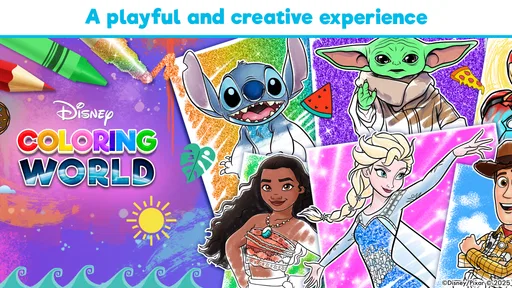
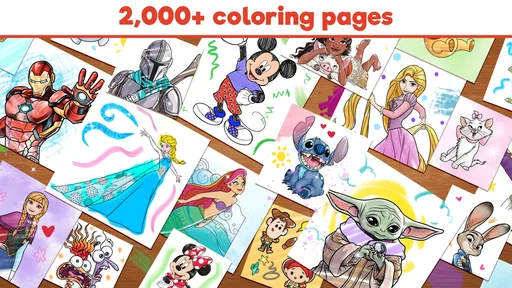
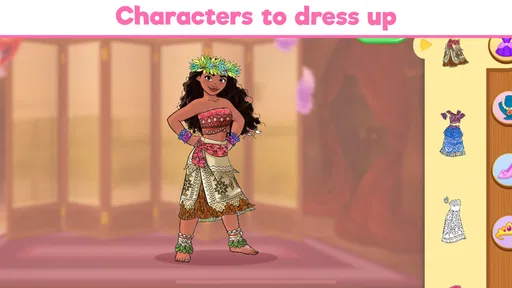
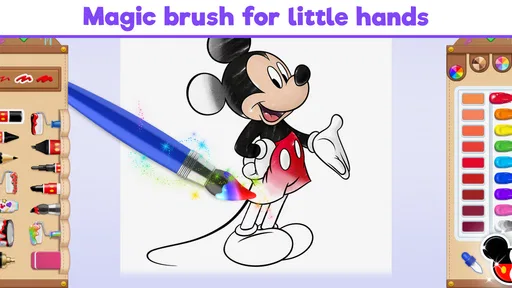
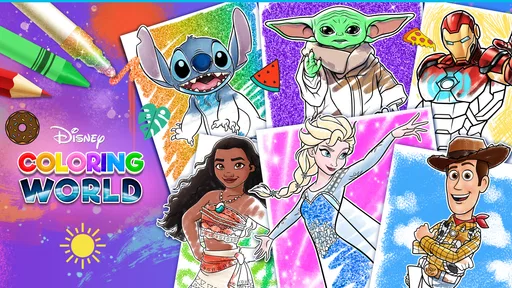
Once you dive into Disney Coloring World, you’ll find a treasure trove of characters waiting to be brought to life. From classics like Mickey and Minnie to the modern heroes of Frozen and Moana, the selection is pretty vast. It’s like having the entire Disney universe at your fingertips. The interface is super friendly, even for those of us who are tech-challenged. You just tap on a character, pick your colors, and let your imagination run wild.
That straightforward start is useful in ordinary moments when nobody wants to spend time learning controls. I can picture handing it to a child during a quiet stretch at home: they can choose a character and begin coloring without needing a long explanation. For a parent, the practical advantage is that the activity has a clear beginning, but it does not require a strict finish line. A child can complete a picture, change the approach, or stop when attention moves elsewhere.
The feedback comes from seeing a familiar character change as each color is added. That is a small but satisfying reward: a choice produces an immediate visual result, and the next choice can make the image feel different. The palette encourages playful experiments rather than treating one version as the correct one. I would let a child try an unexpected color combination before stepping in with suggestions; the freedom to make a personal version is part of the fun.
There is also a useful way to make a short session feel purposeful. Instead of opening the game with a vague instruction to “color something,” offer a light prompt, such as choosing a character and giving them a new look. The prompt gives a younger player a starting point without taking over the activity. If they lose interest after one picture, that is still a complete little creative task rather than a half-finished game with a complicated objective.
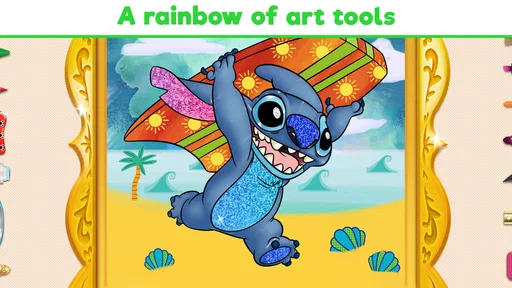
One thing I really love is the range of color palettes. You can go for traditional colors or mix it up with some wild, unexpected hues. Feeling like Elsa should have pink hair? Go for it! The app encourages you to express yourself, and hey, there are no wrong answers in art, right?
Worth Reading Before You Choose

Flipboard Shows What News Apps Must Do Beyond the Feed

Switching to Android Auto Means Rethinking Your Driving Routine

Google Calendar Makes a Crowded Week Easier to Manage

Ludo King Makes the Most of the Minutes Between Plans

Baby Panda World Brings Quick Play to Modern Phones, but Its Game Library Feels Busy

ESPN’s Live Game View Makes Following Close Games Easier
How the Coloring Rhythm Holds Attention
The rhythm is deliberately gentle: choose, color, look at the result, and decide what to do next. There is no need to race through a level or compete against another player to make the basic activity enjoyable. That makes it a natural fit for a calm break, a little creative play alongside an adult, or a quiet activity when a child wants to focus on a favorite Disney character.
It also means the game is not the best match for every child. Someone who wants a demanding challenge, a story with lots of progression, or fast action may find the coloring loop too slow. A conventional coloring book can be a better choice for children who enjoy pencils and paper, or for families who want an activity that does not involve a screen. On the other hand, the app is convenient when carrying art supplies is impractical and a familiar character helps a child settle into an activity.
One small but useful choice is to make the session about experimenting rather than finishing as quickly as possible. A child might try a familiar color scheme first, then change one or two details and compare the mood. That gives the activity a bit more purpose without turning it into a lesson or adding pressure. It can also help an adult join in naturally: ask which version feels more playful, rather than judging whether the colors are “right.”
Scenes, Sharing, and What Counts as a Reward
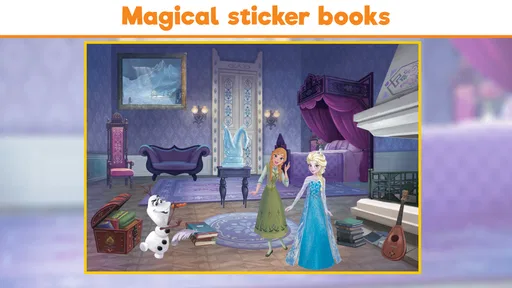
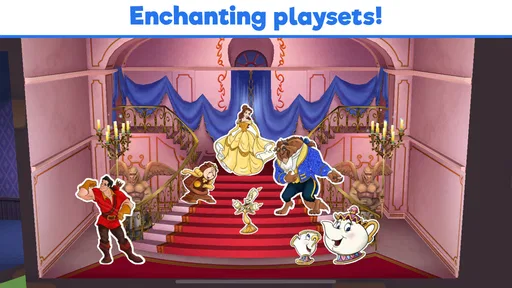
What sets Disney Coloring World apart is its interactive features. After coloring, you can place your creations in different scenes, making your own Disney story come to life. It's like creating your own mini-movie set with characters you’ve colored yourself. The scenes are beautifully designed, and moving the characters around is a breeze.
This gives the coloring a second step: the finished picture can become part of a little scene, rather than being the only result of the session. I like that shift because it offers a reason to continue after the coloring itself is done. For a child who enjoys making up stories, placing a character in a setting can prompt a simple bit of pretend play. For someone who just wants to color, the scene-making part can be skipped; it need not become a task to complete every time.
Another neat feature is the ability to share your masterpieces. You can easily show off your work to friends and family, or even on social media. Who knows, you might inspire others to unleash their creativity!
For family use, I would treat sharing as an optional ending rather than the point of the activity. A child can show a picture to someone nearby and talk about the color choices, or simply leave it as a private creation. If a device is shared among siblings, it can help to take turns choosing the character or the colors, so the app becomes a cooperative activity instead of a contest over who gets to control the screen.
The reward here is personal expression, not a score or a prize. That is a strength if you want low-pressure creative play, but it can feel less compelling to a child who expects unlocks and clear advancement in every game. I would choose it for a relaxed coloring session, not as a substitute for a more structured educational activity with specific goals.
Free Access, Paid Additions, and Practical Limits
While the app is a joy to use, I did find myself wishing for more free content. Some of the best scenes and characters are locked behind paywalls, which might be a bummer for those of us on a tight budget. However, the available free options are still pretty vast, and they do offer in-app purchases for those who want to expand their collection.
It is free to start, and the in-app purchases range from $0.99 to $59.99 per item. That makes it worth checking what is available before a child gets attached to a particular character or scene. I would let a child explore the accessible choices first, then decide as an adult whether paying for more material makes sense for your household. The game is rated for Everyone, but that age rating does not decide whether its purchase options fit your family’s rules; it is still sensible to supervise purchasing on a device used by children.
The catalogue and add-on model also affect how I would compare it with other coloring options. A basic coloring app may be better if you mainly want open-ended drawing tools and do not care about Disney characters. Paper coloring books can be a better fit for screen-free time and hands-on materials. This game’s distinctive appeal is the combination of recognizable Disney characters with coloring and scene-making, so it makes the most sense for a child who already enjoys those characters and wants a familiar theme to spark ideas.
Also, the app is a bit of a battery hog, especially if you’re like me and tend to lose track of time while coloring. Just something to keep in mind if you’re planning a long coloring session on the go.
For that reason, I would use it differently at home and while out. At home, it can be an easy choice for a short quiet activity, with the device plugged in if a longer session is likely. On the go, I would keep expectations modest and treat it as a backup activity rather than assuming it will occupy a child for an extended stretch. That is a practical trade-off: the simple loop is easy to return to, but a screen-based creative session still depends on having enough battery and a child who enjoys coloring.
Who Will Enjoy It, and When I Would Choose Something Else
I would recommend it most readily to young Disney fans who enjoy choosing colors and making small creative decisions. It can also suit an adult looking for a relaxed, nostalgic activity, though the child-friendly style is central to its appeal. If someone in your family likes Frozen, Disney Princesses, Stitch, and other Disney characters, the familiar cast can make it easier to get started than a blank digital canvas. The broad character appeal is part of the draw, but personal taste matters: a child who is not interested in Disney may get more from a general art app.
A realistic everyday use is a short pause after school or during a quiet spell at home. I would offer the game, let the child pick a character, and give them time to color without correcting their choices. If they want to continue, the scenes can provide another creative direction; if they are done, the picture itself is a satisfying stopping point. That flexibility is more valuable than trying to stretch one session into a fixed amount of screen time.
Parents deciding whether to install it may wonder how much of the experience is available without paying. There is free content to try, but additional characters and scenes can involve purchases, so the free starting experience should be treated as a way to see whether the basic loop appeals—not a promise that every choice will be open. Someone who wants a large, fully accessible collection without add-on decisions may prefer a different coloring option.
It is also worth knowing that the game suits a relaxed pace better than a focused academic goal. The educational category is a useful description of its creative nature, but I would not choose it when the main aim is practicing a particular school subject or following a lesson plan. I see its value in giving children room to make choices and express an idea, rather than in measuring progress against a curriculum.
Disney Coloring World first released on Dec 19, 2018, and its current version is 17.5.0, with Android 7.0 as the minimum operating system requirement. It has an average rating of 4.4 from around 51 thousand ratings, and more than 10 million installs. Those figures suggest that it has reached a large audience, but what matters more to me is whether the character selection and gentle coloring loop fit the person who will use it.
Does the Loop Invite Another Session?
The reset is simple: when one picture is finished, the player can choose another character, revisit the idea of changing colors, or use a scene to continue the play. There is no need to preserve a perfect result or complete every available option. That makes it easy to return for another brief session, especially when a child has a new idea for how a familiar character should look. It also means the experience can feel repetitive if the player is not interested in trying different colors or using the scenes.
StoryToys has built a game whose strongest point is the low barrier between having an idea and seeing it on screen. Its weaker point, for my purposes, is that the paid content can interrupt that relaxed rhythm when a desired choice is unavailable without a purchase. I would decide in advance how your family handles purchases, then let the child focus on what can be done within those boundaries. That avoids turning a coloring break into a negotiation about locked content.
All in all, Disney Coloring World is a delightful app that offers lots of fun for Disney fans of all ages. Whether you’re a kid or just a kid at heart, it’s a fantastic way to unwind and let your creativity shine. So, grab your virtual paintbrush and dive into the magical world of Disney. Trust me, you won’t regret it!
Pros
- Wide variety of coloring pages.
- User-friendly interface for all ages.
- Regular updates with new content.
- Supports offline coloring activities.
- Encourages creativity and learning.
Cons
- In-app purchases can be pricey.
- Limited free content available.
- Occasional app crashes reported.
- Some images require internet access.
- Ads interrupt the coloring experience.
FAQs for Disney Coloring World
What is Disney Coloring World?
Disney Coloring World is a creative app that allows users to color and interact with a wide range of Disney characters and scenes. It's designed for children and offers a variety of drawing tools and colors. The app encourages creativity and imagination, providing a safe and engaging environment for young users.
Is Disney Coloring World suitable for all ages?
While Disney Coloring World is primarily designed for children, it can be enjoyed by Disney fans of all ages. The interface is user-friendly and the content is appropriate for kids, making it a great choice for families looking for a creative and entertaining activity.
Does Disney Coloring World require an internet connection?
You can use Disney Coloring World without an internet connection once the app is downloaded and installed. However, an internet connection may be required for certain features, such as downloading new coloring packs and accessing updates. It's recommended to periodically connect to ensure you have the latest content.
Are there in-app purchases in Disney Coloring World?
Yes, Disney Coloring World offers in-app purchases. While the app provides a range of free content, additional coloring packs and features can be purchased. Parents should be aware of these options and may want to set up parental controls to manage spending within the app.
Is Disney Coloring World available on both Android and iOS?
Yes, Disney Coloring World is available for download on both Android and iOS devices. Users can find it on Google Play Store for Android and the App Store for iOS. The app is designed to work seamlessly across different devices, offering a consistent coloring experience.


